
Table of Contents
ToggleThis virtual reality guide covers everything beginners need to know before entering immersive digital worlds. VR technology has moved from science fiction into living rooms, classrooms, and offices. The global VR market reached $22 billion in 2023 and continues to grow rapidly. Whether someone wants to play games, train for work, or explore new places, virtual reality offers experiences that flat screens simply cannot match. This guide explains how VR works, what equipment to buy, and how to get the best experience possible.
Key Takeaways
- Virtual reality creates immersive 3D environments using headsets with motion tracking, allowing users to see, hear, and interact with digital worlds.
- Standalone headsets like the Meta Quest 3 offer the best balance of price, convenience, and quality for most beginners starting their VR journey.
- Clear at least 6.5 by 6.5 feet of play space and use the guardian boundary system to stay safe during room-scale virtual reality experiences.
- VR extends far beyond gaming—it’s now used for professional training, education, social platforms, therapy, and real estate visualization.
- New users should start with 15-20 minute sessions and comfort-rated content to build their “VR legs” and avoid motion sickness.
- Keep your headset lenses clean with a microfiber cloth, update firmware regularly, and stay hydrated during active VR sessions.
What Is Virtual Reality And How Does It Work
Virtual reality creates computer-generated environments that users can see, hear, and interact with. A VR headset blocks out the real world and displays stereoscopic 3D images, separate images for each eye that create depth perception. Motion sensors track head movements and adjust the display in real time, making users feel like they’re actually inside the digital space.
Modern virtual reality systems use several key technologies working together. Accelerometers and gyroscopes detect how the headset tilts and rotates. Inside-out tracking cameras scan the room and map the user’s position. Controllers with their own sensors let users grab objects and interact with the virtual environment.
The brain accepts this illusion because the visuals respond instantly to movement. When someone turns their head left, the virtual world shifts right, just like real life. This immediate response, called low latency, prevents motion sickness and creates presence. Presence is that feeling of actually being somewhere else, and it’s what separates VR from watching a video.
Types Of VR Headsets And Their Differences
VR headsets fall into three main categories: standalone, PC-tethered, and smartphone-based. Each type serves different needs and budgets.
Standalone headsets contain all their hardware inside the device. The Meta Quest 3 and Pico 4 are popular examples. Users don’t need a computer or phone, just charge the headset and start playing. These devices offer the best balance of price, convenience, and quality for most people.
PC-tethered headsets connect to powerful gaming computers through cables or wireless adapters. The Valve Index, HP Reverb G2, and high-end Meta Quest models in link mode fall into this category. These headsets deliver sharper visuals and can run more detailed virtual reality experiences because they use the computer’s graphics card.
Smartphone-based headsets like Google Cardboard use a phone as the display. They cost very little but provide basic experiences. Most VR enthusiasts have moved past this option as standalone prices have dropped.
Key specs to compare include resolution (higher is sharper), refresh rate (90Hz or higher reduces motion blur), and field of view (wider feels more natural). A good virtual reality guide always recommends trying headsets before buying when possible.
Essential Equipment For Your VR Setup
Beyond the headset itself, several accessories improve the virtual reality experience.
Controllers come with most headsets. They track hand position and feature buttons, triggers, and thumbsticks. Some newer systems also support bare-hand tracking without controllers.
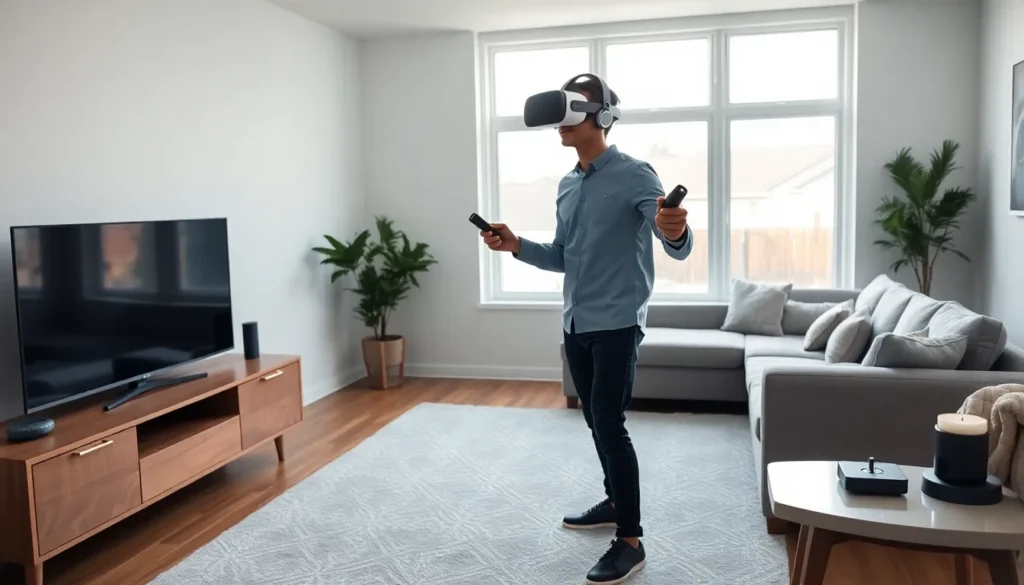
Play space matters more than people expect. Clear a minimum of 6.5 feet by 6.5 feet for room-scale VR. Mark boundaries with the headset’s guardian system to avoid punching walls or tripping over furniture.
Audio options range from built-in headset speakers to over-ear headphones. Good spatial audio helps users locate sounds in 3D space, which improves both immersion and gameplay.
Comfort accessories extend play sessions. These include padded head straps, prescription lens inserts for glasses wearers, and silicone face covers that clean easily.
Charging solutions keep equipment ready. A charging dock for controllers and headset means less fumbling with cables.
For PC-tethered setups, the computer needs a capable graphics card (at least an NVIDIA RTX 3060 or AMD equivalent), 16GB RAM, and a recent processor. Check the headset manufacturer’s requirements before purchasing.
Popular Uses For Virtual Reality Today
Virtual reality serves far more purposes than gaming, though gaming remains the most common use.
Gaming puts players inside the action. Titles like Beat Saber, Half-Life: Alyx, and Resident Evil 4 VR show what the medium can do. The physical movement required also provides exercise, some people lose weight playing VR fitness games.
Training and simulation help professionals practice dangerous or expensive scenarios safely. Surgeons rehearse procedures. Pilots log flight hours. Firefighters face virtual blazes. Companies report faster skill acquisition and better retention compared to traditional training.
Education brings lessons to life. Students can walk through ancient Rome, explore the human bloodstream, or manipulate molecular structures. This virtual reality application continues growing in schools and universities.
Social platforms like VRChat and Horizon Worlds let people meet, talk, and play together as avatars. Some users attend virtual concerts and comedy shows.
Therapy uses VR for exposure treatment, pain management, and PTSD recovery. Controlled virtual environments help patients confront fears gradually.
Real estate and architecture allow clients to tour buildings before construction begins. This virtual reality use case saves time and prevents costly design changes.
Tips For A Better VR Experience
New users can follow these practical tips to enjoy virtual reality from day one.
Start slow. Play for 15-20 minutes initially. The brain needs time to adjust. Motion sickness often decreases as users build their “VR legs” over several sessions.
Choose comfort-rated content first. Most VR stores label games by comfort level. Stationary experiences cause less disorientation than fast movement. Work up to intense titles gradually.
Keep the lenses clean. Use a microfiber cloth only. Paper towels and household cleaners can scratch or damage the optics.
Adjust the headset properly. The sweet spot for sharp visuals is small. Move the headset up, down, and side to side until text looks crisp. Tighten straps so the device doesn’t shift during movement.
Take breaks. The 20-20-20 rule helps: every 20 minutes, look at something 20 feet away for 20 seconds. This reduces eye strain.
Stay hydrated. Active VR games cause sweating. Keep water nearby.
Update firmware regularly. Manufacturers push improvements that fix bugs and add features. Check for updates weekly.
Use a fan. A small fan pointed at the play area keeps users cool and provides a physical reference point in the room.


